Docker Build
docker build

# since 18.09, backward compatible with docker build. default builder
docker buildx build
Dockerfile
Docker builds images by reading the instructions from a Dockerfile. This is a text file containing instructions that adhere to a specific format needed to assemble your application into a container image.
Docker images consist of read-only layers, each resulting from an instruction in the Dockerfile. Layers are stacked sequentially and each one is a delta representing the changes applied to the previous layer.
Dockerfile 是一个描述如何创建 Docker 镜像所需步骤的文本文件。由一系列指令组成。
- docker从基础镜像运行一个容器
- 执行一条指令并对容器作出修改
- 执行类似docker commit的操作提交一个新的镜像层
- docker再基于刚提交的镜像运行一个新容器
- 执行dockerfile中的下一条指令直到所有指令都执行完成
# 使用当前目录的Dockerfile创建镜像
docker build -t myimage1:latest .

# 使用指定目录的Dockerfile创建镜像
docker build -t myimage2:latest -f path/to/Dockerfile .
the most common types of instructions:
| Instruction | Description |
|---|---|
| From <image> | Defines a base for your image. |
| RUN <command> | Executes any commands in a new layer on top of the current image and commits the result. RUN also has a shell form for running commands. |
| WORKDIR <directory> | Sets the working directory for any RUN, CMD, ENTRYPOINT, COPY, and ADD instructions that follow it in the Dockerfile. |
| COPY <src> <dest> | Copies new files or directories from and adds them to the filesystem of the container at the path. |
| CMD <command> | Lets you define the default program that is run once you start the container based on this image. Each Dockerfile only has one CMD, and only the last CMD instance is respected when multiple exist. |
指令
FROM
# tag默认latest
FROM [--platform=<platform>] <image> [AS <name>]
FROM [--platform=<platform>] <image>[:<tag>] [AS <name>]
FROM [--platform=<platform>] <image>[@<digest>] [AS <name>]

FROM openjdk:11-jre
The FROM instruction initializes a new build stage and sets the Base Image for subsequent instructions. As such, a valid Dockerfile must start with a FROM instruction.
Optionally a name can be given to a new build stage by adding AS name to the FROM instruction. The name can be used in subsequent FROM and COPY --from= instructions to refer to the image built in this stage.
Run
一条指令会在当前镜像的最顶层执行,并提交执行结果生成新的镜像层,供下一步使用。可以用&& 将多条指令合并成一个,指令太长可以用 \\ 换行。
RUN has 2 forms:
RUN(shell form, the command is run in a shell, which by default is/bin/sh -con Linux orcmd /S /Con Windows)RUN ["executable", "param1", "param2"](exec form)
RUN /bin/bash -c 'echo hello'
# equivalent to
RUN ["/bin/bash", "-c", "echo hello"]

RUN apt-get update \\
 && apt-get install vim
Unlike the shell form, the exec form does not invoke a command shell. This means that normal shell processing does not happen.
# will not do variable substitution on $HOME
RUN [ "echo", "$HOME" ]

# correct
RUN [ "sh", "-c", "echo $HOME" ]
COPY
COPY [OPTIONS] src ... dest
COPY [OPTIONS] ["<src>", ... "<dest>"]
The src path must be inside the context of the build。只能将复制本地文件至镜像内。
--from参数用于在多阶段构建中,从前置构建或其他镜像复制文件。
ADD
ADD [OPTIONS] src ... dest
ADD [OPTIONS] ["<src>", ... "<dest>"]
If src is a local tar archive in a recognized compression format (identity, gzip, bzip2 or xz) then it is unpacked as a directory. Resources from remote URLs are not decompressed.
CMD
容器启动时运行的命令,只能有一条,多条的话最后一条生效
The CMD instruction has three forms:
CMD ["executable","param1","param2"](exec form, this is the preferred form)CMD ["param1","param2"](as default parameters to ENTRYPOINT). IfCMDis used to provide default arguments for theENTRYPOINTinstruction, both theCMDandENTRYPOINTinstructions should be specified with the JSON array format.CMD command param1 param2(shell form, execute in/bin/sh -c)
ENTRYPOINT
容器启动时运行的命令,只能有一条,多条的话最后一条生效。使用docker run命令创建容器时,ENTRYPOINT不能被覆盖,只能设置额外参数。
ENTRYPOINT ["executable", "param1", "param2"]

ENTRYPOINT command param1 param2

ENTRYPOINT ["java", "-jar", "/application.jar"]
举例1
FROM ubuntu
ENTRYPOINT ["top", "-b"]
CMD ["-c"]docker run -it --rm --name test top -H# 最终执行
top -b -H举例2
FROM ubuntu
ENTRYPOINT exec top -bdocker run -it --rm --name test top# 最终执行
top -bCMD vs ENTRYPOINT
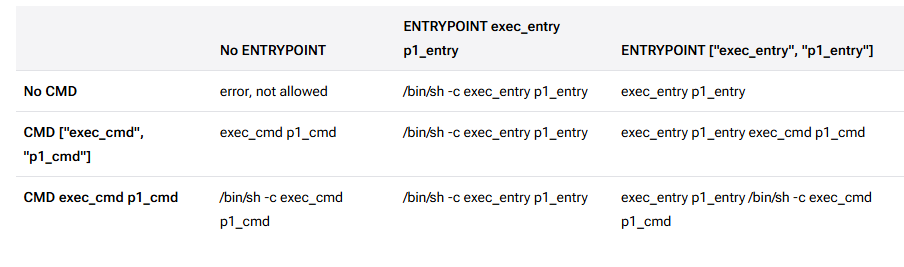
Dockerfile should specify at least one of CMD or ENTRYPOINT commands.ENTRYPOINT should be defined when using the container as an executable.CMD should be used as a way of defining default arguments for an ENTRYPOINT command or for executing an ad-hoc command in a container.CMD will be overridden when running the container with alternative arguments.
如果Docker镜像的用途是运行应用程序或服务,比如运行一个MySQL,应该优先使用Exec格式的ENTRYPOINT指令。CMD可为ENTRYPOINT提供额外的默认参数,同时可利用docker run命令行替换默认参数。如果想为容器设置默认的启动命令,可使用CMD指令。用户可在docker run命令行中替换此默认命令。
ENV
ENV key=value ...
ENV MY_NAME="John Doe"
ENV MY_DOG=Rex\\ The\\ Dog
ENV MY_CAT=fluffy
You can view the values using docker inspect, and change them using docker run --env <key>=<value>.
VOLUME
The VOLUME instruction creates a mount point with the specified name and marks it as holding externally mounted volumes from native host or other containers.
VOLUME ["/data"]

FROM alpine
RUN mkdir /myvol
RUN echo "hello world" > /myvol/greeting
VOLUME /myvol
WORKDIR
The WORKDIR instruction sets the working directory for any RUN, CMD, ENTRYPOINT, COPY and ADD instructions that follow it in the Dockerfile.
WORKDIR /path/to/workdirARG
The ARG instruction defines a variable that users can pass at build-time to the builder with the docker build command using the --build-arg <varname>=<value> flag.
ARG <name>[=<default value>]example: https://docs.npmjs.com/docker-and-private-modules
FROM node

ARG NPM_TOKEN
COPY .npmrc .npmrc
COPY package.json package.json
RUN npm install
RUN rm -f .npmrc

# Add your source files
COPY . .
CMD npm start
.npmrc
//registry.npmjs.org/:_authToken=${NPM_TOKEN}docker build --build-arg NPM_TOKEN=${NPM_TOKEN} .EXPOSE
# protocol默认tcp
EXPOSE <port> [<port>/<protocol>...]

EXPOSE 8080
EXPOSE 6379/tcp 53/udp
Other instructions
- LABEL:adds metadata to an image.
- USER:指定之后的 RUN、CMD 和 ENTRYPOINT 指令执行使用的用户
Build context
path context
对于 .,旧的构建工具会把整个当前目录暴露给daemon,而对于BuildKit,只会暴露指令(例如COPY)使用到的路径。可以用dockerignore排除某些目录(例如node_modules)
URL context
docker build -t hello-flask:latest <https://github.com/zlx01/docker-build-url-context.git>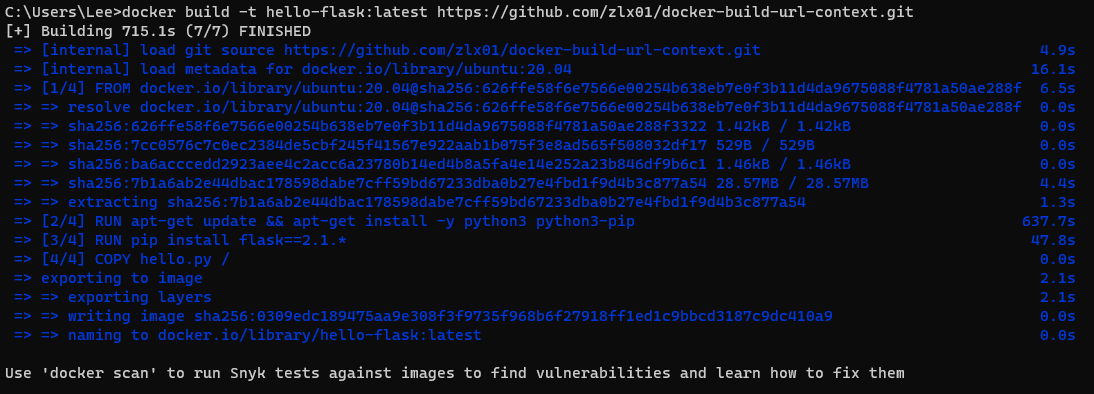
multi-stage builds
With multi-stage builds, you use multiple FROM statements in your Dockerfile. Each FROM instruction can use a different base, and each of them begins a new stage of the build. You can selectively copy artifacts from one stage to another, leaving behind everything you don’t want in the final image.
举例:
- 在node镜像中打包vue项目,把产物复制到nginx镜像中
- 在maven镜像中springboot项目,把产物复制到jre镜像中
vue
FROM node as build

WORKDIR /app
COPY . .

RUN npm i --registry=https://registry.npmmirror.com

RUN npm run build

FROM nginx
COPY --from=build /app/dist /usr/share/nginx/html

EXPOSE 80docker build -t vue3-test:v3 .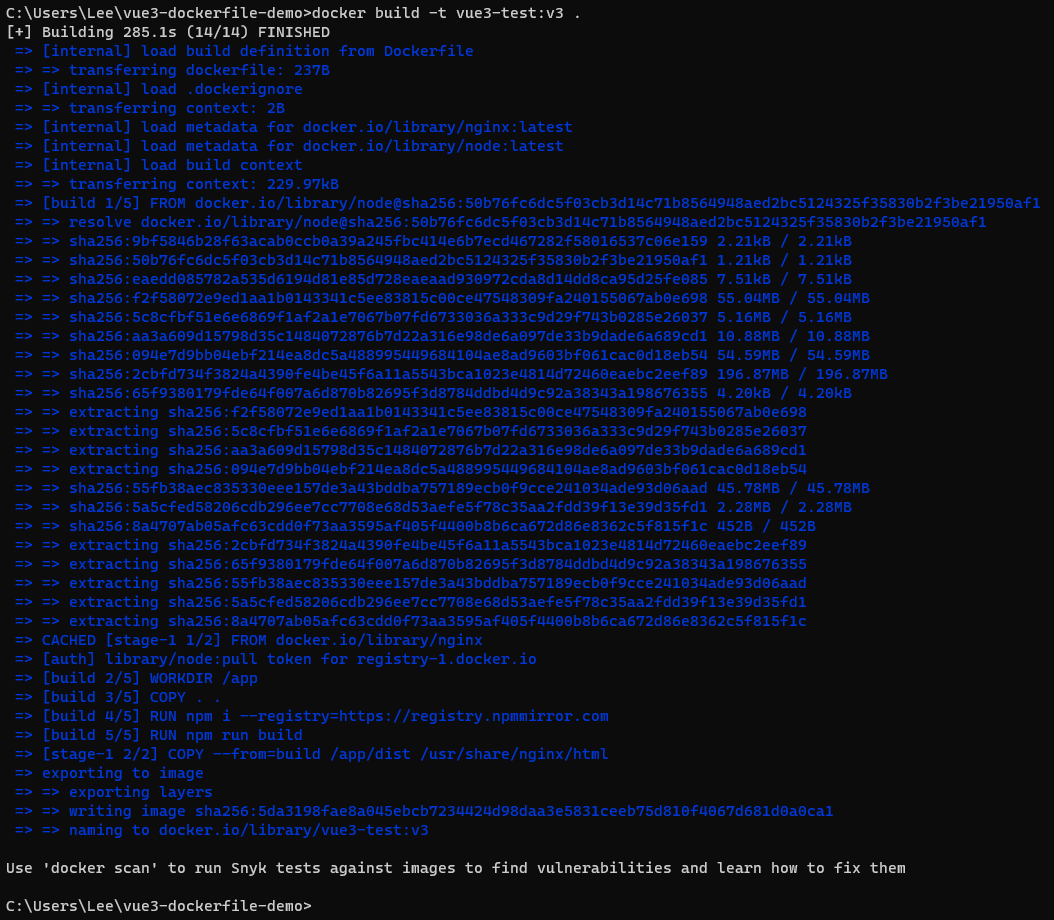
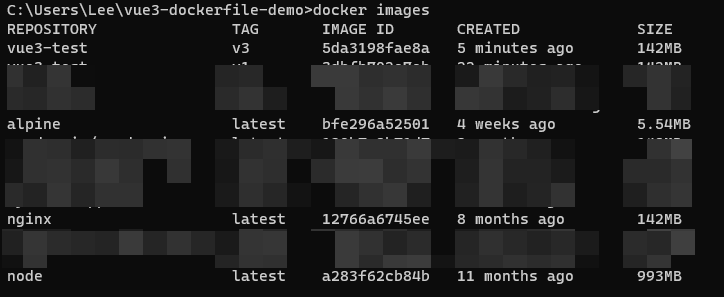
可以看到本地已经打包好镜像了,镜像大小和nginx接近,如果把node也包括进来,镜像竟然要达到接近1000MB,
跑起来看看
docker run -d -p 8090:80 vue3-test:v3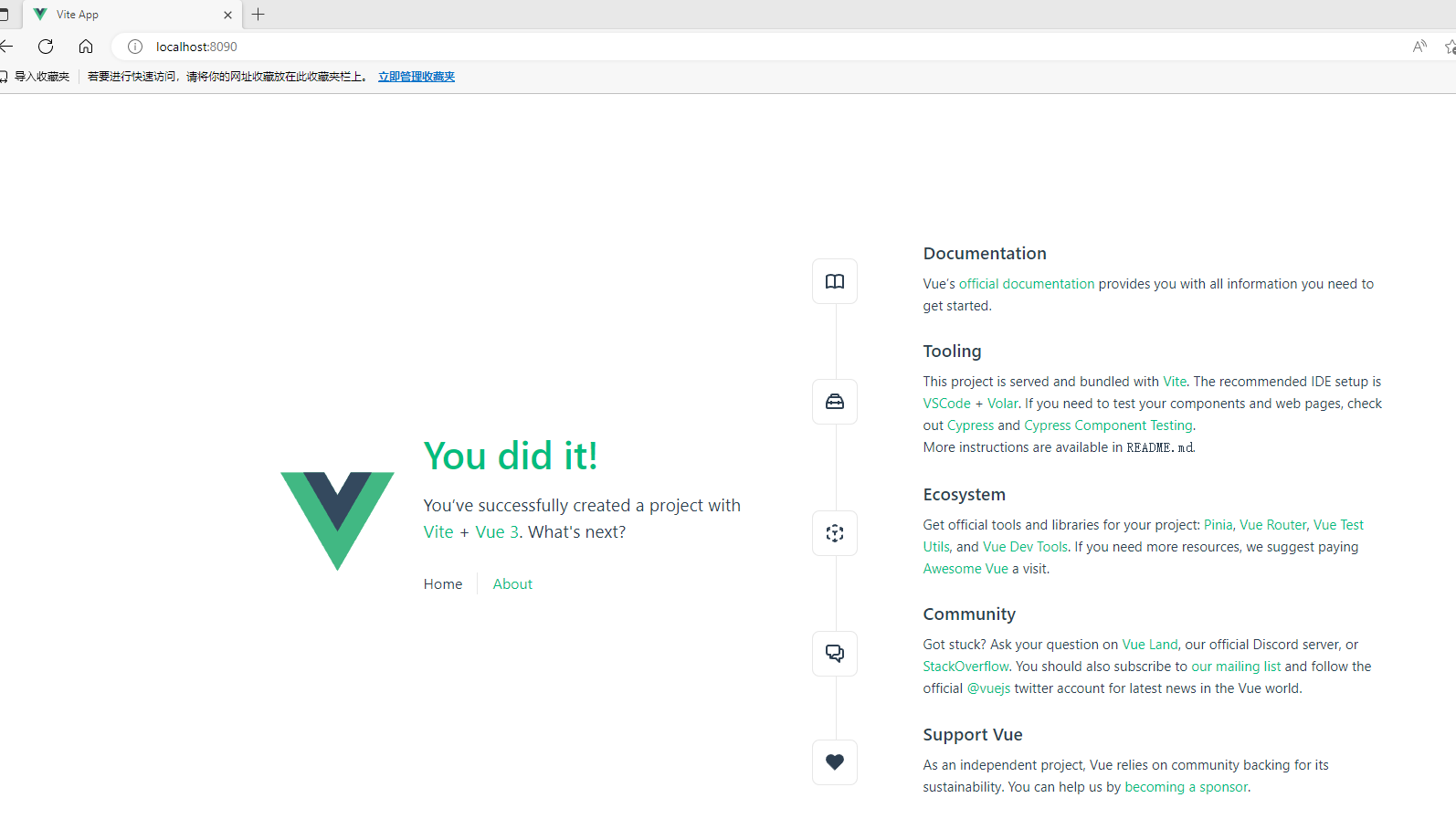
springboot
FROM maven:3.8.6-openjdk-11

COPY . .

RUN mvn -B package --file pom.xml

FROM openjdk:11

COPY --from=0 ./target/springboot-demo-0.0.1-SNAPSHOT.jar /usr/app/hello.jar
WORKDIR /usr/app

EXPOSE 8080

ENTRYPOINT ["java", "-jar", "hello.jar"]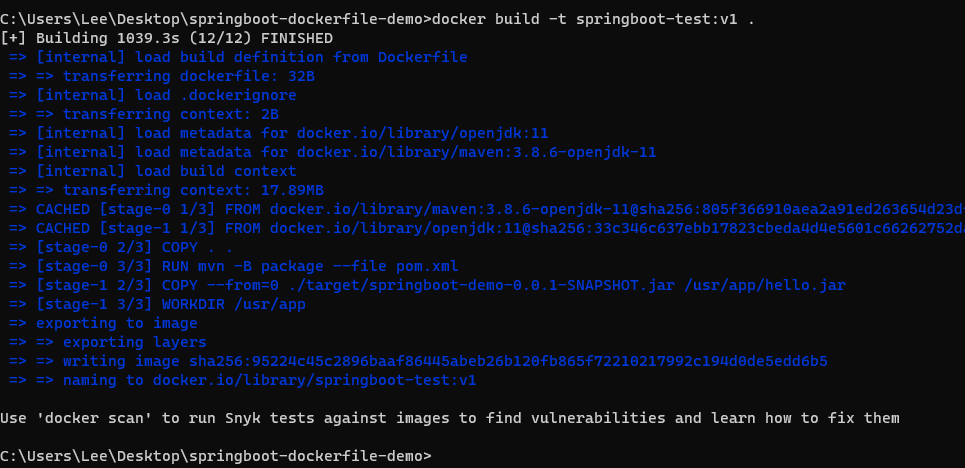
docker run -d -p 8080:8080 springboot-test:v1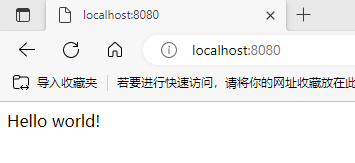
Best Practice
FROM ubuntu
RUN apt-get update
RUN apt-get install -y curl再安装一个wget,apt-get update会有缓存,curl可能安装到过时的版本
FROM ubuntu
RUN apt-get update
RUN apt-get install -y curl wgetFROM ubuntu
# 最好是每次都update,同时也能减少镜像层数,减少包的体积
RUN apt-get update && apt-get install -y curl